
Clock in & out
Clocking in and out is how actual attendance data lands in the system. Staff record themselves at the portal's kiosk-style Time Clock; owner and manager add or fix records from the admin Attendance screen. This page covers both flows.
1. Open the Time Clock
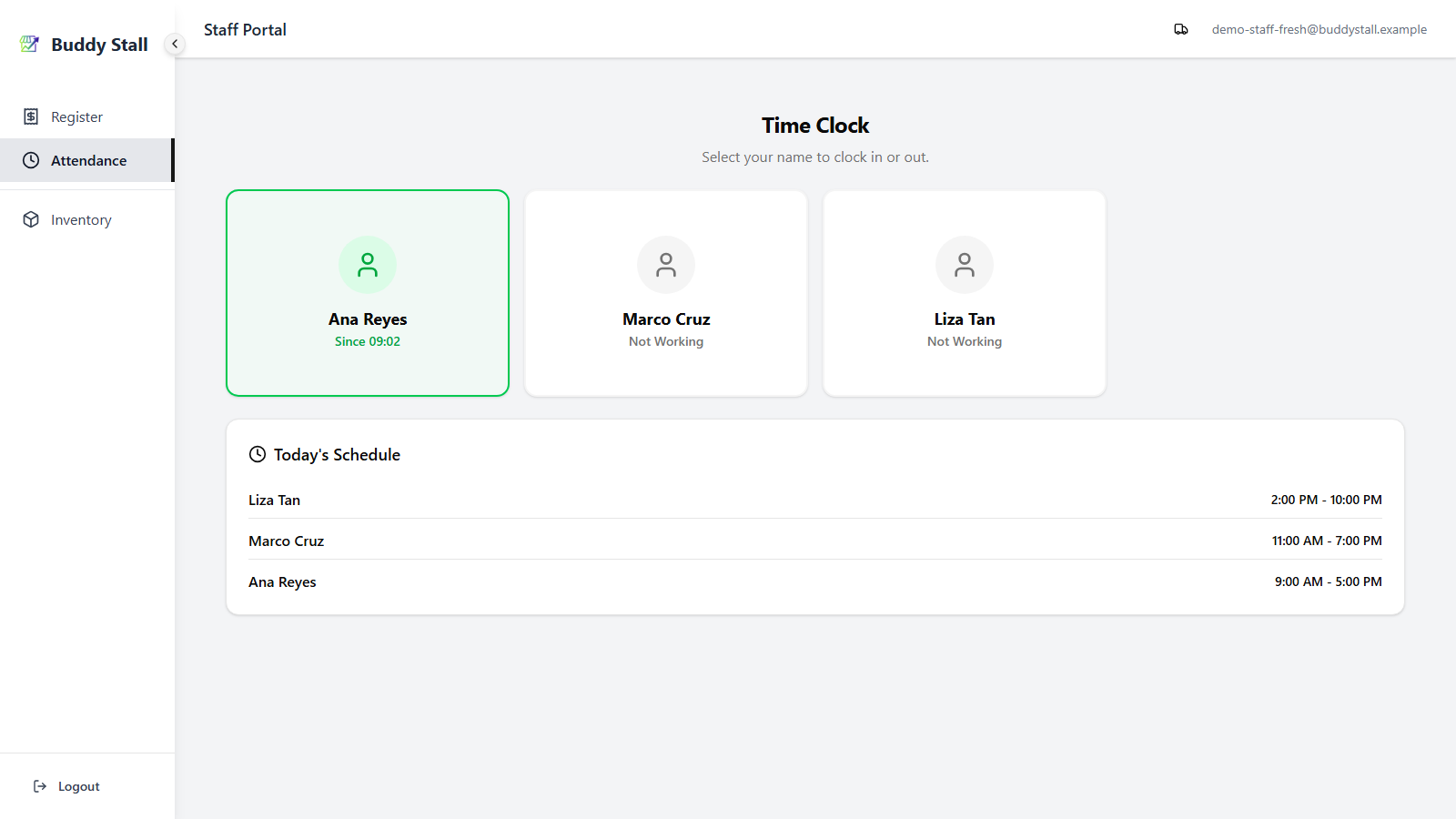
From the staff portal, open Attendance. The Time Clock view opens directly on your store — a grid of one card per employee, green-bordered when working (with "Since HH:MM"), gray when off. The day's planned shifts are listed at the bottom.
2. Clock in for your shift
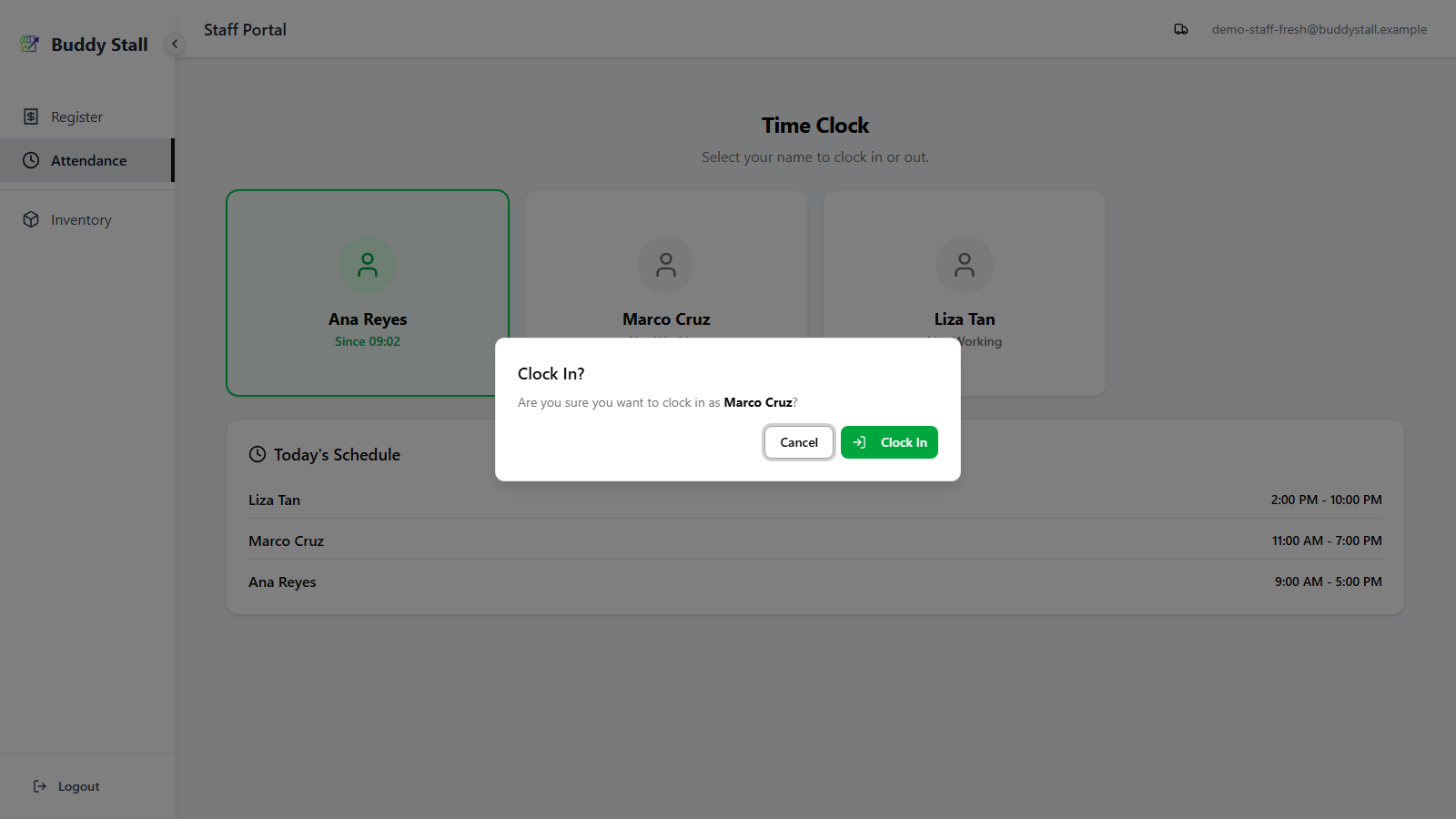
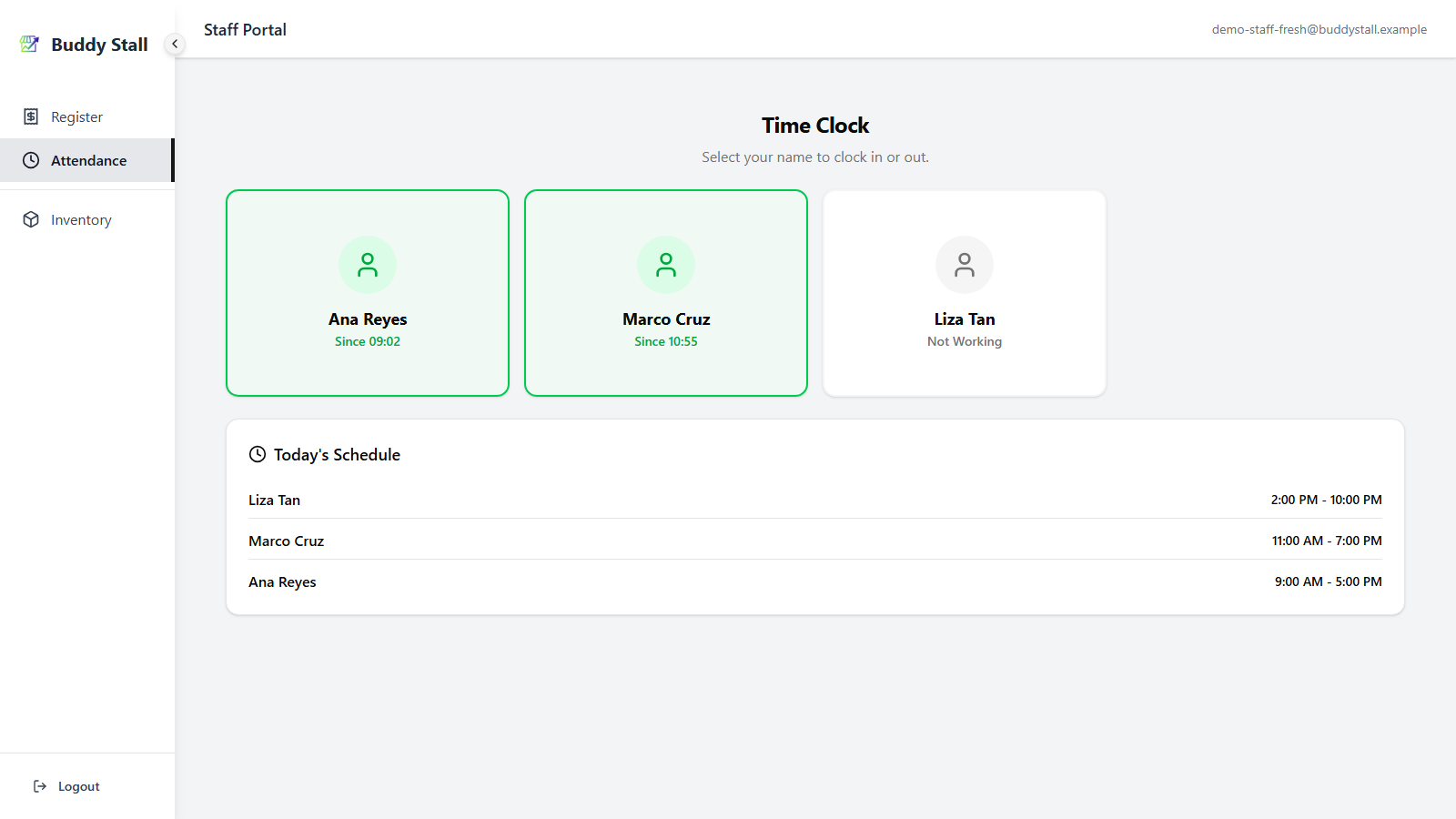
Find your card in the grid and tap it. A Clock In? dialog asks you to confirm. Confirm with the green Clock In button. Your card immediately turns green and shows the clock-in time.
3. Clock out at the end
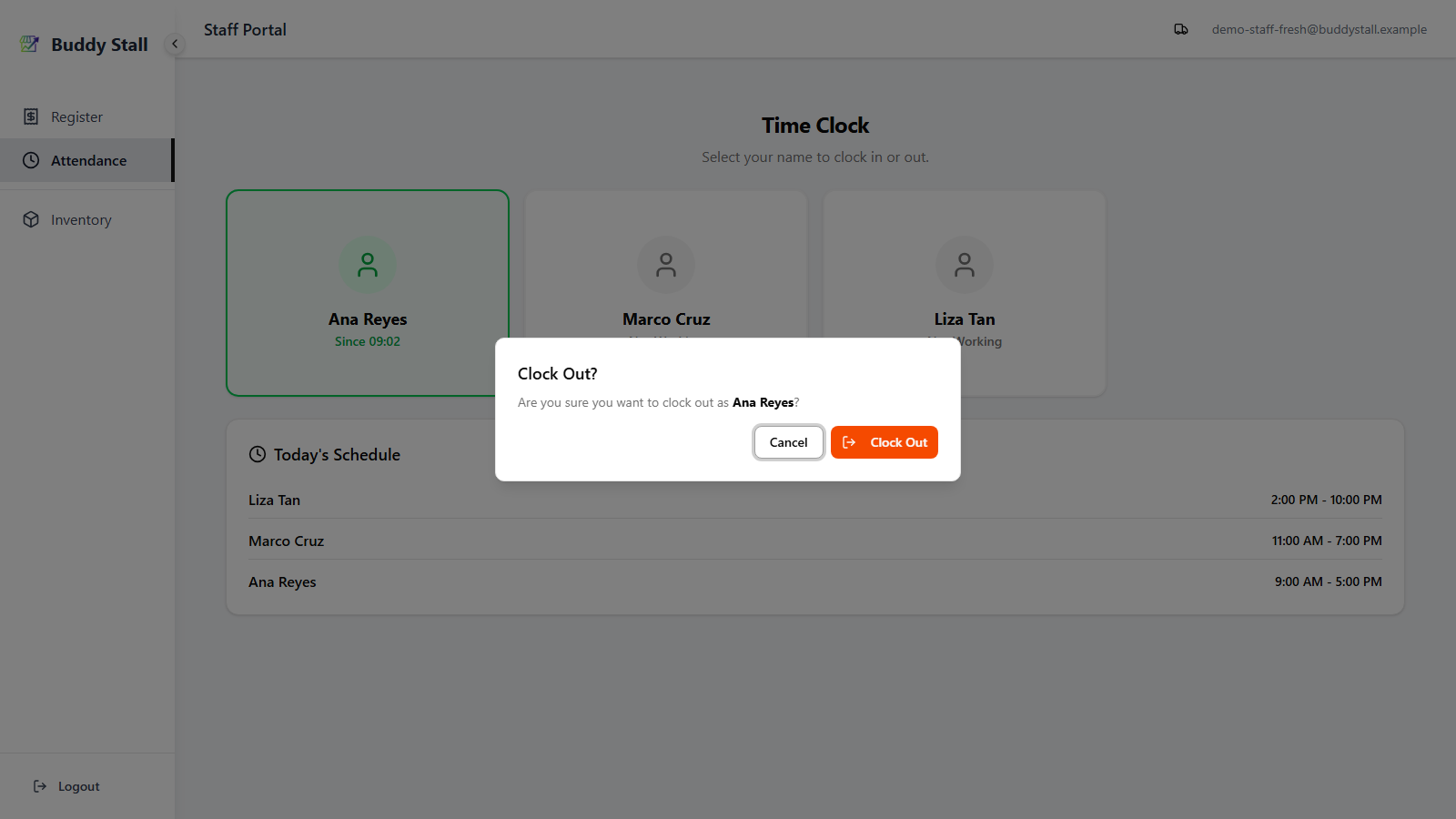
When your shift is done, tap the same card again (now green). The dialog now reads Clock Out? — confirm with the Clock Out button. The card returns to gray, and the attendance record is closed with the clock-out time.
The kiosk works without an internet connection. Punches queue locally in the device's outbox and sync to the server when the connection is back. The card's green / gray state updates immediately so the next staff member sees the right state — no waiting on the network.
Clocking out after midnight
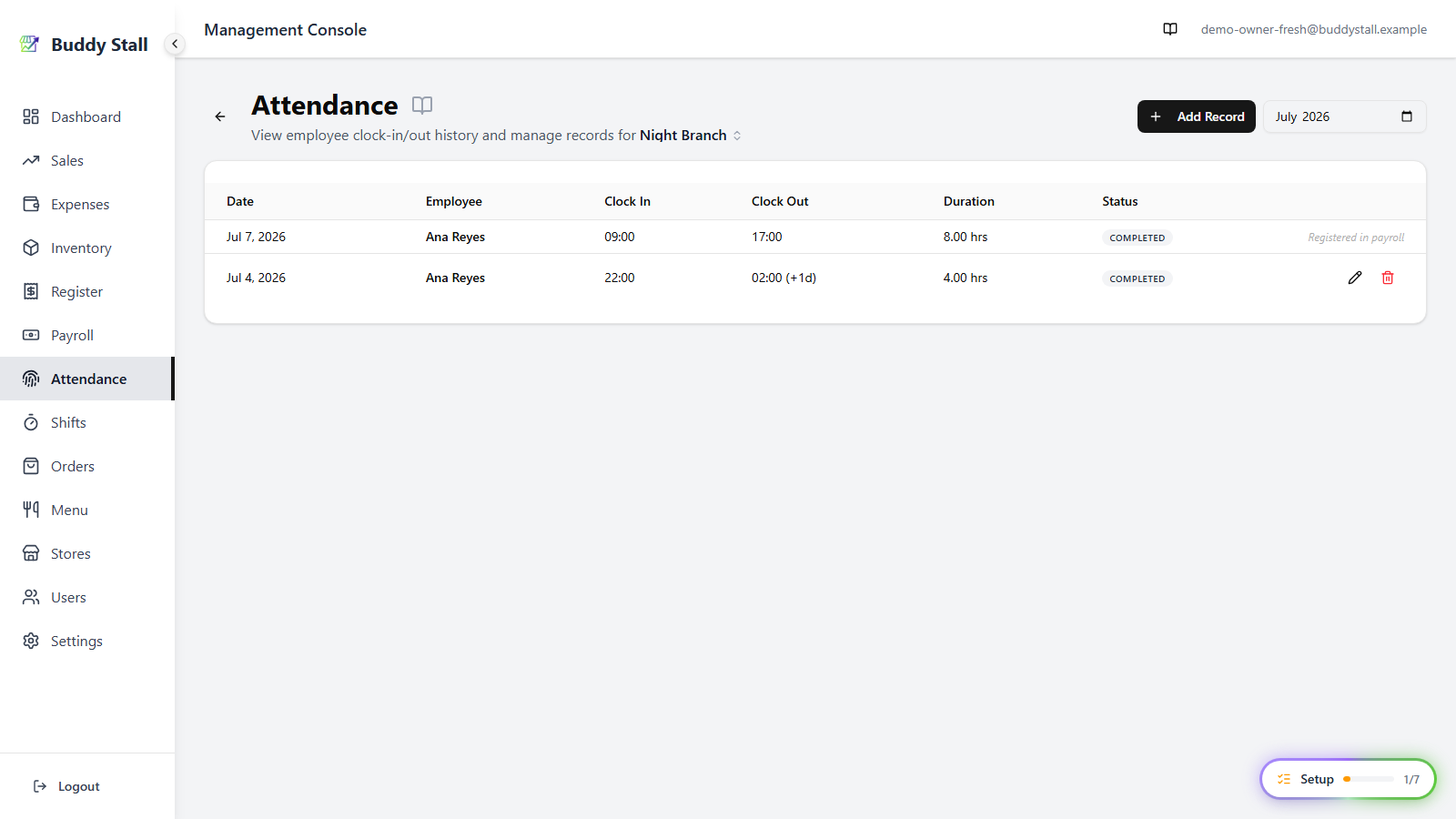
Clocking out after midnight is fully supported: the record is filed under the day you clocked in, not split at midnight. In the Attendance list, a clock-out that lands the next calendar day is marked (+1d) next to the time.
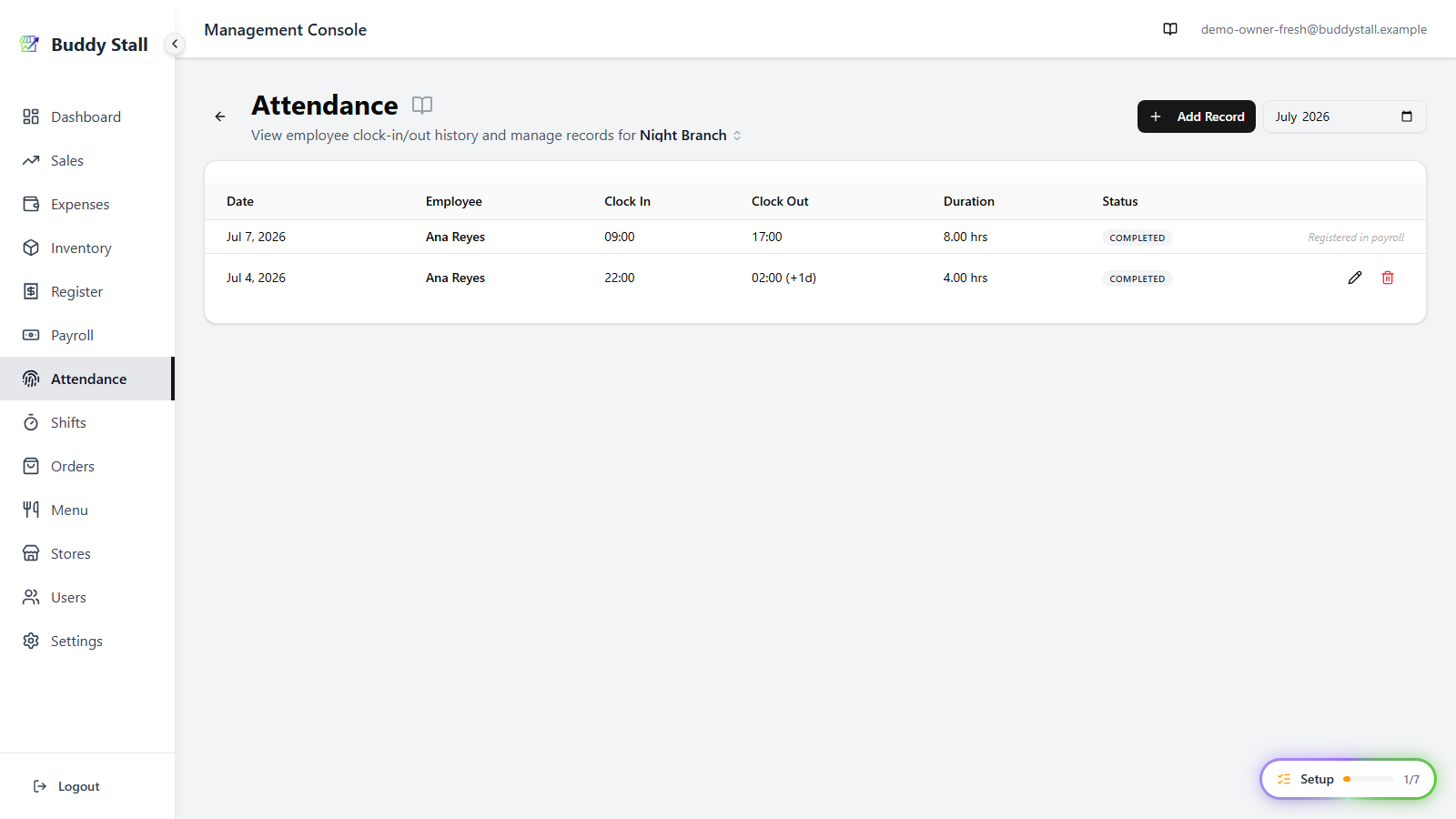
If a clock-out is ever more than 18 hours after the clock-in — a forgotten punch — the system closes the record automatically at clock-in + 18 hours; an admin can correct it to the real time from the Attendance screen below. A clock-in or clock-out submitted in the future is treated as device clock skew and is recorded at the server's current time instead.
4. Add an attendance record manually (admin)
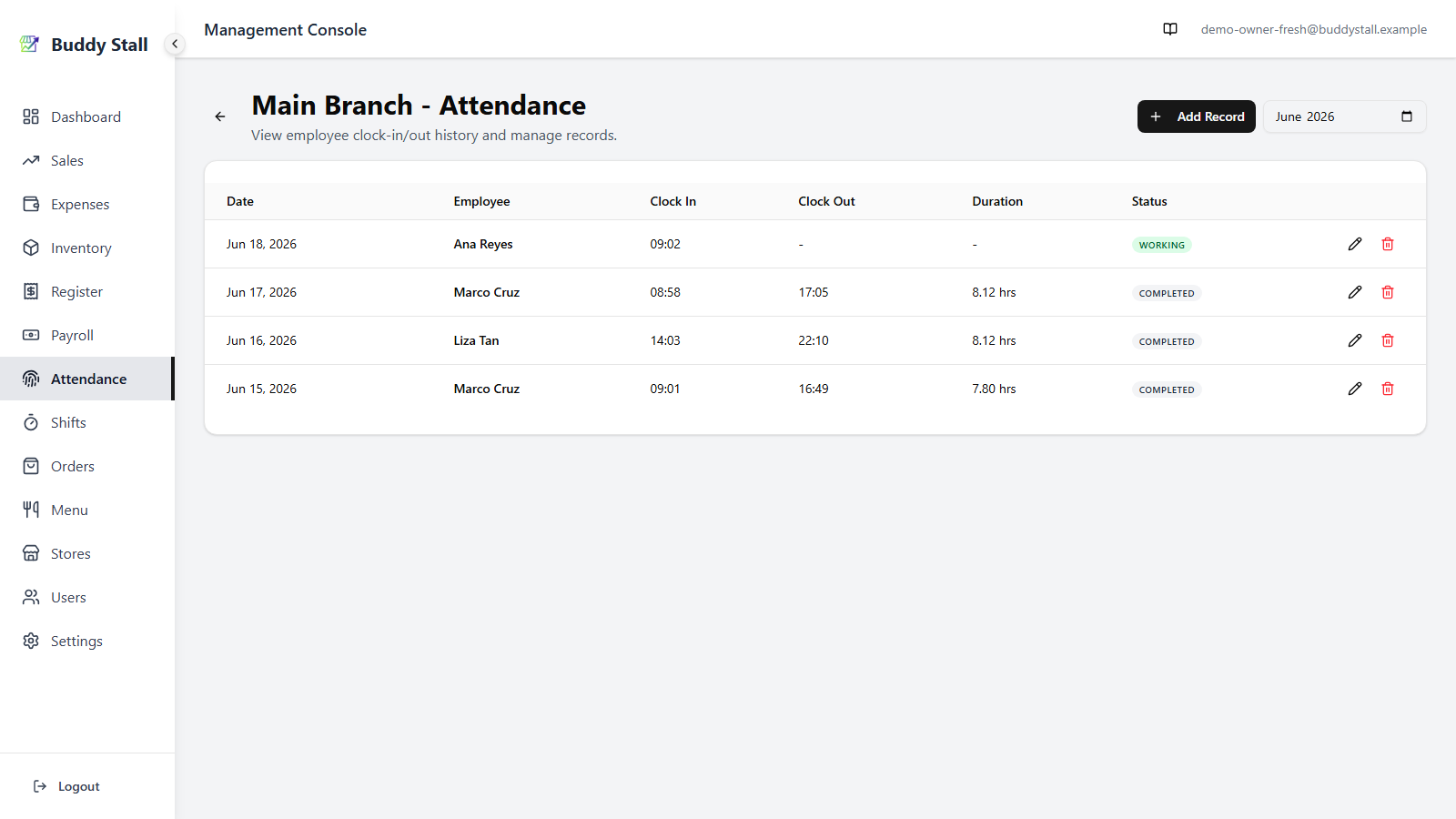
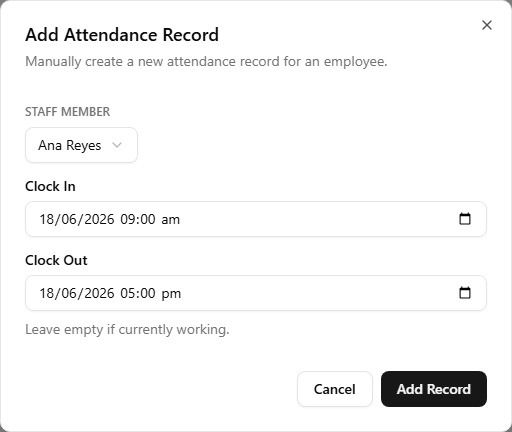
If a staff member forgets to clock in or out — phone died, busy at the counter, finished the shift before tapping — an admin can add the record by hand. From the admin sidebar, open Attendance, pick the store, then click Add Record.
The dialog asks for the employee and the clock-in / clock-out times. Save and the record joins the list for that day, ready to feed payroll alongside the others.
5. Edit or delete a record (admin)
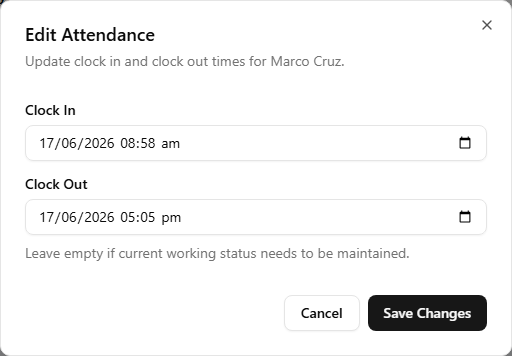
For a punch that landed on the wrong day or captured the wrong time, click the pencil icon on its row. The Edit Attendance dialog opens with the saved Clock In and Clock Out times — adjust them and Save Changes. To remove a record entirely, click the trash icon on its row instead and confirm.
Once a record has been registered into payroll, its row shows Registered in payroll instead of the pencil and trash icons — it can no longer be edited or deleted here. To change it, open Payroll, Unregister that day first (this removes the Salary expense and unlocks the record), make the fix, then register it again.
How attendance feeds payroll
Each record sits beside its planned shift; payroll diffs the two to get late/early minutes, then trims by the break rule. The full calculation is in How time and pay work.