
How updates reach stores
There is no publish button. Every edit you make to a preset saves immediately and your preset is current from that moment — but a connected store's own catalog does not change until that store pulls the update. This page explains what happens in between.
Your edit flags the franchise
Adding, changing, or removing anything in your preset menu, preset inventory, preset recipes, or preset expenses marks the franchise as having an update available. Editing the franchise itself — its name, description, or logo — does not.
The mark only says that something changed. It does not say what, and it does not travel with a note, so tell your stores separately when a change matters to how they operate.
Stores pull the update themselves
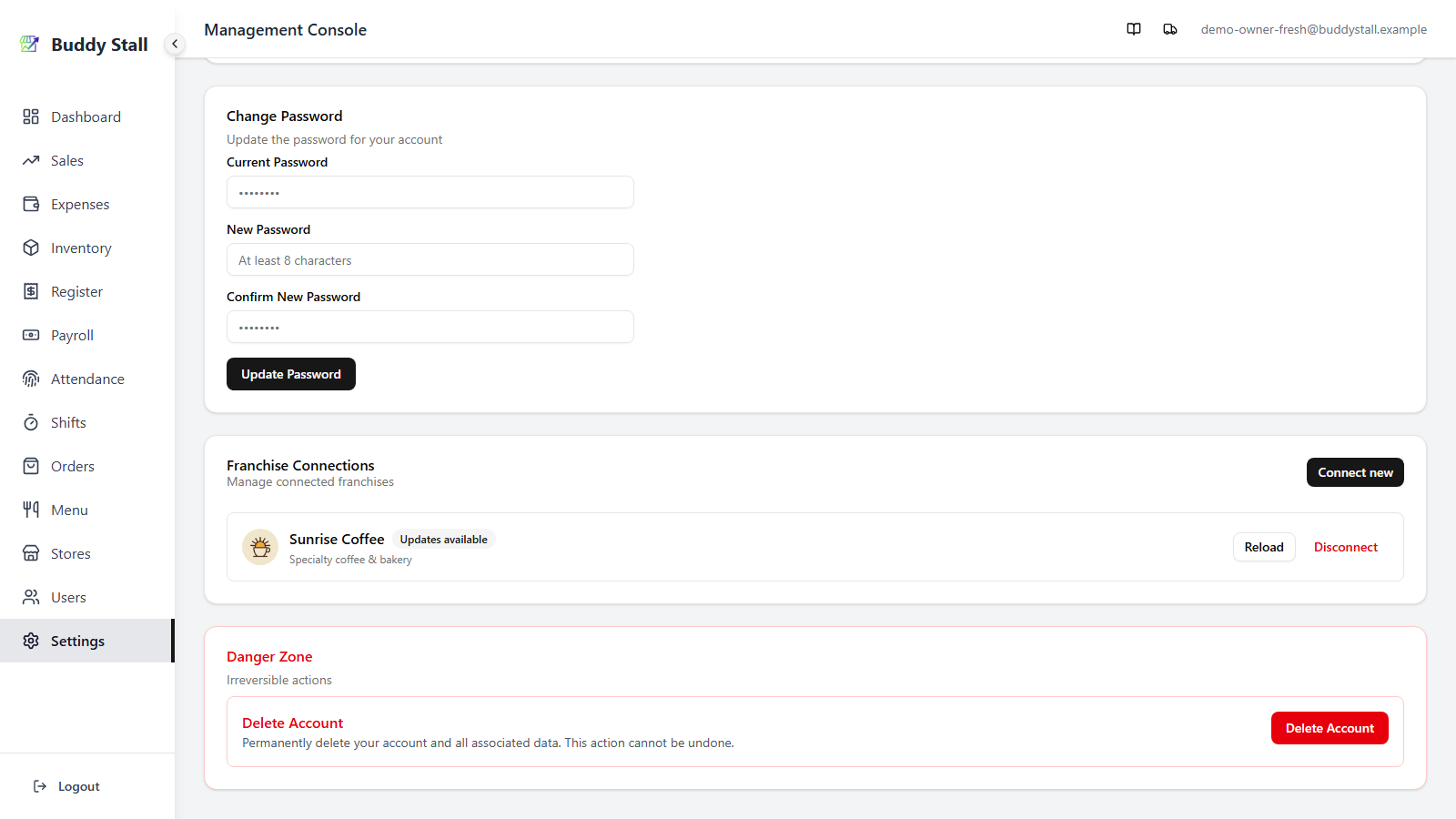
In their Settings → Franchise Connections, your brand starts showing an Updates available badge. The store owner clicks Reload when they are ready. Nothing is applied automatically and nothing is on a schedule — the timing belongs to the store.
Two things on a preset inventory item are exceptions, and neither waits for a reload. The Franchisor-exclusive switch applies the moment you save it — stores can no longer record a direct purchase against that item and have to order it from you instead. So does the Cost per Unit: it is the price charged on orders to you, read fresh each time a store opens your catalog or places an order. Raise it today and tomorrow's order is billed at the new figure, reload or no reload.
The cost a reload copies into a store's own catalog is a different number — the store's own cost basis, which is why it is theirs to accept. For the items only you supply, the price they actually pay is always the one on your preset.
Stores review before anything lands
Reloading opens a review dialog rather than applying the update outright. Changes to the values a store lives with day to day — names, prices, costs, recipe quantities, menu photos — arrive as unticked checkboxes, so they take effect only if the owner accepts them. Structural changes are applied for them: which sizes and add-on groups an item carries, what a combo is made of, what each add-on recipe line does (see Add-on recipe lines), and the units on the items only you supply. Removals are the exception among the structural changes — they are always the store's to accept, and have their own path.
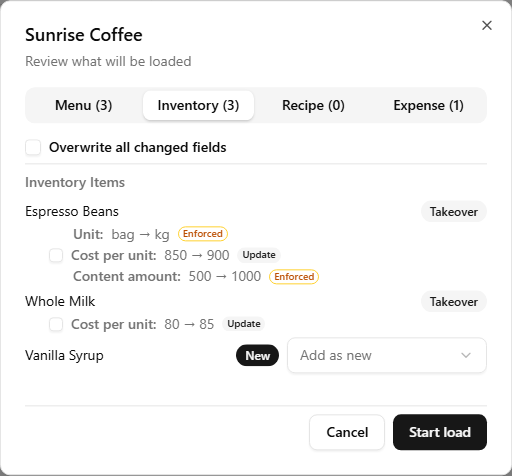
A reload never touches the store's own trading data: stock counts stay as counted, and items the store created for itself are left alone. So a price you raise in the preset is an offer to every store's catalog rather than a change made behind their back — worth remembering when you plan something you need every store to adopt.
The click path on the store side is documented for owners in Connect & sync a franchise.
Add-on Recipe Lines
A line in an add-on recipe has an Effect: Add, Remove, or Replace with. You choose it in the preset recipes.
The effect always reaches the store as you set it. So do the replacement ingredient and the multiplier. None of them has a checkbox, so the owner cannot decline them.
The one choice left to the owner is the quantity of an Add line. It is a checkbox only when your line and a line the store already has are both Add. The box starts unticked, like any other recipe quantity.
If the store wrote its own Remove or Replace with line for the same add-on option and ingredient, and it differs from yours, the review shows it as an Update, with no checkbox. For example, Coffee Beans: Remove → Add 10 g. If it already matches yours exactly, the review shows no change. Either way, after the load the line is yours and is locked for the store.
A line the store cannot use shows Skipped — not available to your store. For example, it may need an ingredient the store has not loaded. Nothing is written for it.
Removing something takes its own path
Deleting from a preset is the one edit that cannot just overwrite what a store already holds — the store may be selling the item today. So a delete branches on whether anyone is still carrying it.
If no connected store holds the row, or anything beneath it, it is deleted outright together with everything under it. Nothing further happens; there is nothing out there to update.
If a store does hold it, the row is archived instead, and the confirm names how many stores still use it.
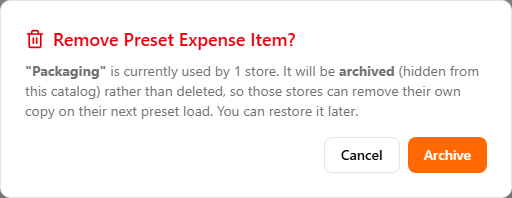
An archived row drops out of the active catalog but stays reachable on that preset page, each entry keeping a Restore control. Where it goes depends on the catalog:
- Inventory and expenses are flat, so archived rows collect in an Archived (removed while still in use) section below the catalog.
- The menu nests, so there is no separate section — turn on the Show Archived switch and archived rows reappear inline in the list they belong to, still under their category or group. Pulling them out into a box of their own would hide which parent a restore would return them to.
From that moment the row stops going out to stores loading your preset for the first time, and the stores that already have it are told on their next reload.
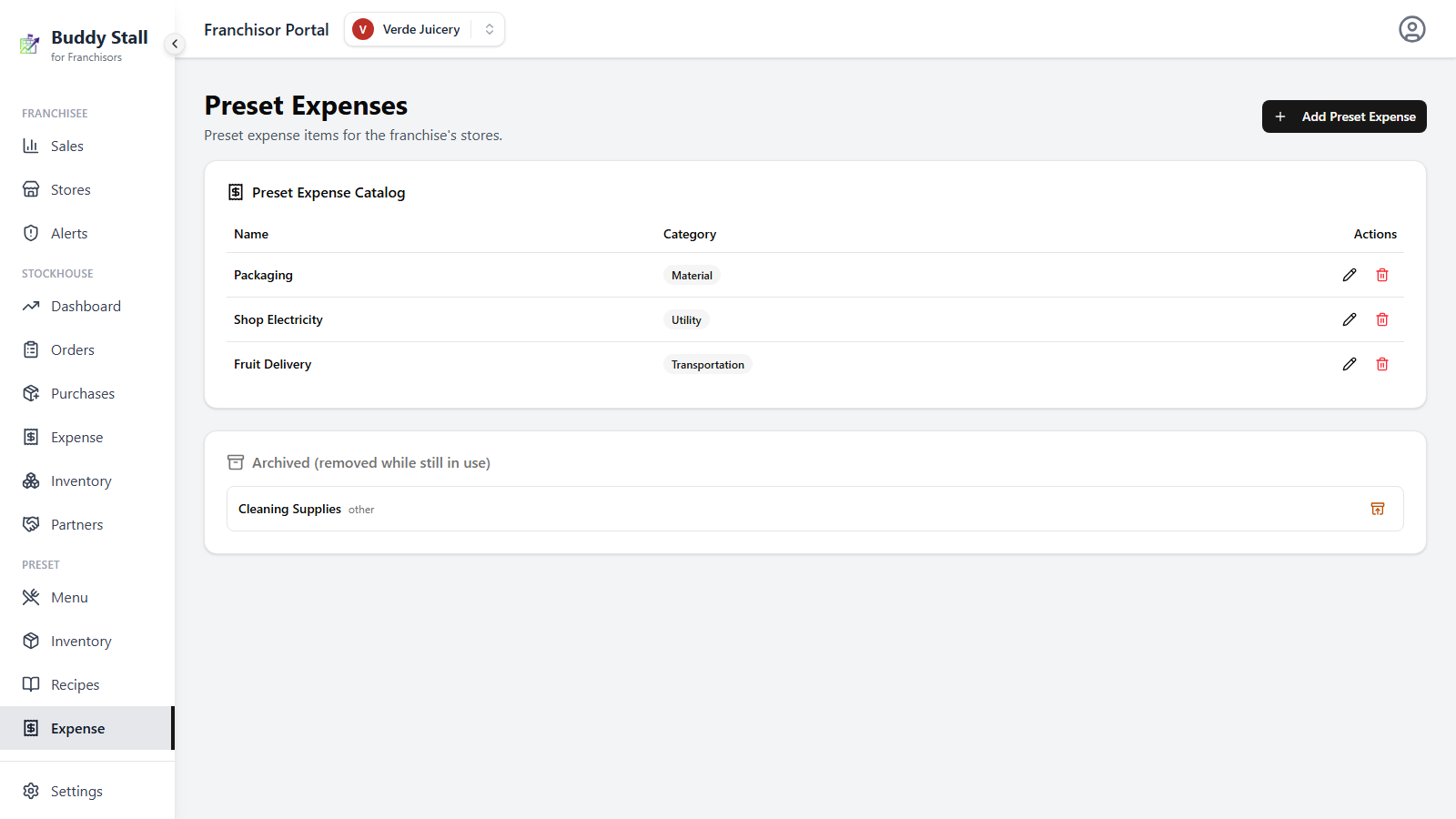
This is how removal works on the preset menu, inventory, and expenses alike. Recipes are the exception, and are covered further down.
What the store sees
Removals surface in the review dialog under Removed by the franchisor, in the tab that matches what was removed:
- Menu tab — a category, item, size, add-on group, or add-on option.
- Inventory tab — an inventory item.
- Expense tab — an expense item.
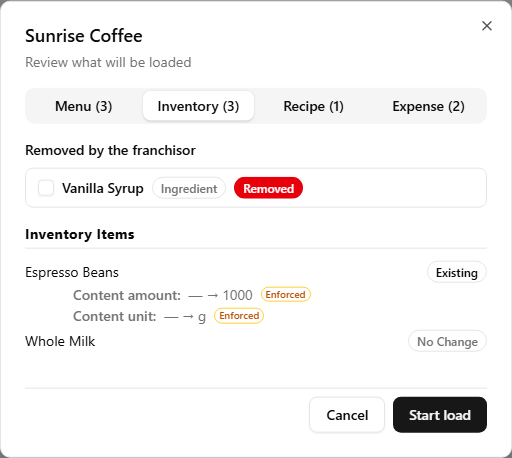
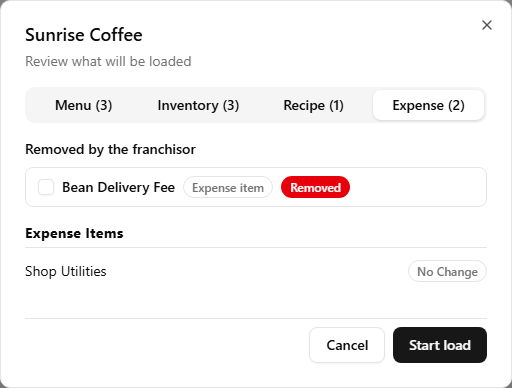
Each removal carries a single checkbox. On the menu side, anything archived along with it — a category's items, an add-on group's options — is listed beneath it as plain text rather than as separate decisions, since accepting those on their own would not mean anything. Inventory and expense rows do not nest, so each is simply its own line.
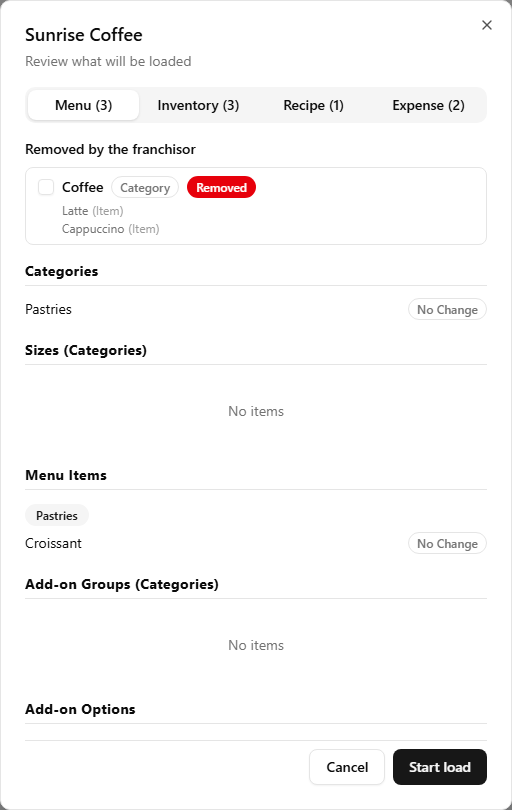
Like a price change, the box starts unticked. Left alone, the store keeps what it has and you can raise it again on the next reload. Ticked, the store's copy is archived as the load runs: hidden from the menu, still present in past sales and reports. Nothing is erased, so a store that accepts a removal does not lose its history of selling the thing.
Restore a row on your side and the mirror image appears for the stores that had accepted the removal — Brought back by the franchisor, badged Restore. Ticking it revives that store's own archived row instead of adding a second copy alongside it.
Two things do not get their own checkbox
An expense item paired to an inventory item. Removing the inventory item takes its paired expense with it, as one decision. The store is not asked about the expense separately, because keeping a cost line for an ingredient the store can no longer stock would not mean anything — and answering the two questions differently would leave the catalog inconsistent.
Recipes. A recipe line is not a thing a store stocks or sells; it is the link that tells the app how much of an ingredient one sale consumes. So a recipe you delete is simply gone from the store on its next reload, with no approval step. The store still sees it happen: the Recipe tab lists the line struck through and badged Removed, so the change is visible before the load runs rather than discovered afterwards. A removal does not delete recipe lines the store wrote itself. On an add-on, a store's own Remove or Replace with line is replaced when you give a line to the same ingredient. See Add-on recipe lines.
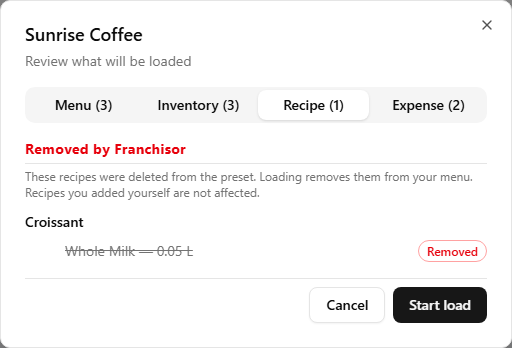
Accepting a removal archives the store's own row. It disappears from the working lists, but past sales, stock movements, and reports keep referring to it exactly as before. A store never loses history by accepting a removal.