
Public order form
Not every buyer is on BuddyStall. A franchisee who hasn't adopted the app — or any store you supply — can still order from your stockhouse through a public order form: a single, login-free web page you share as a link. Whatever a buyer submits lands on your Orders board as a pending order, tagged with a Form badge.
The items, prices, and per-item notes on the form all come straight from your registered stockhouse inventory — there is nothing separate to build or maintain.
Turn it on
The form is off until you enable it, and there is one link per franchise. Pick the franchise in the switcher at the top of the page, open Settings at the bottom of the sidebar, and find the Public order form card:
- Enable form — creates the link and switches the form on.
- Copy / Open — copy the link to share, or open it in a new tab to see exactly what a buyer sees.
- Disable form — turns the form off; the link stops working until you enable it again.
- Regenerate link — issues a brand-new link and kills the old one immediately. Use it if a link was shared too widely — anyone you still want ordering will need the new one.
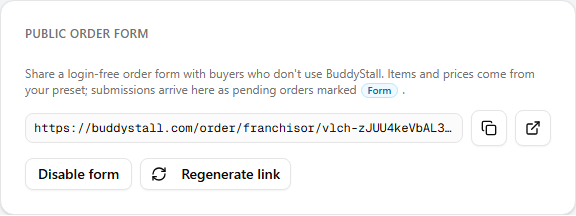
The same link works for every buyer — you don't create a link per store. Each submission records the name and branch the buyer typed in, so you can tell their orders apart on the board.
What buyers see
The link opens a plain order page headed with your franchise name and logo — no login, no account needed. On it, a buyer:
- Enters a quantity next to any items they want. Each line shows its price and unit, plus any Note and Minimum order quantity you set on the item (see Central inventory → Edit an item). Items you sell in a coarser order unit are priced and counted in that unit — e.g. per pack rather than per piece.
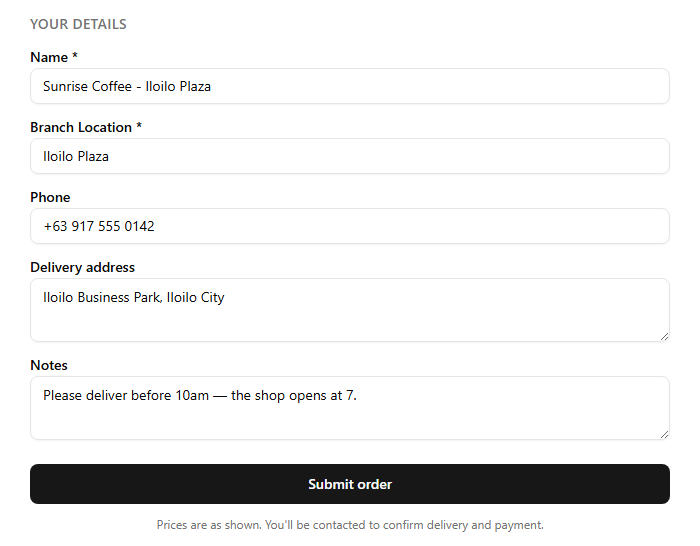
- Fills in Your details — Name and Branch Location are required; Phone, Delivery address, and Notes are optional.
- Submits, and gets an on-screen confirmation with a short reference number.
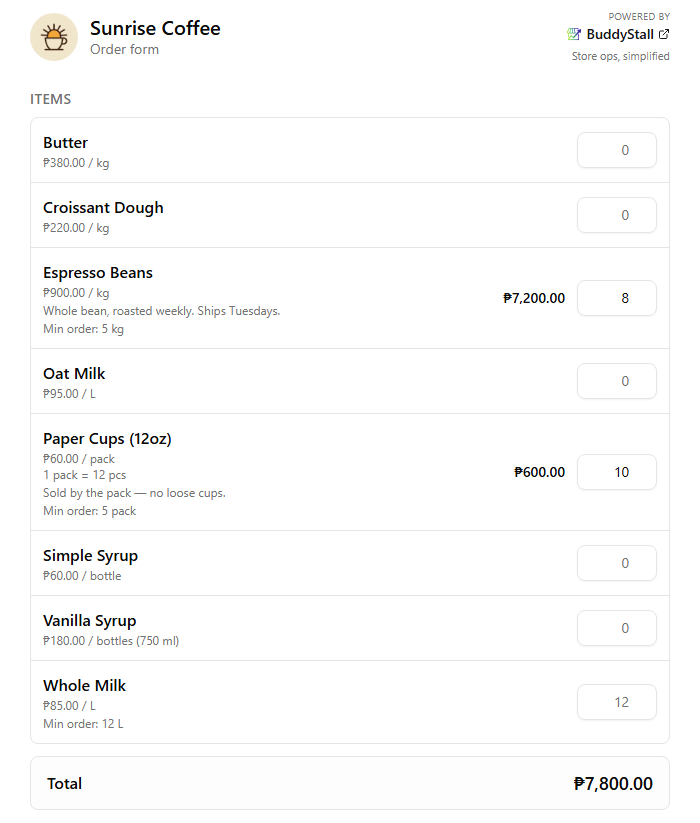
A running Total adds up the cart as they go, and the form remembers their contact details on their device so a returning buyer doesn't retype them. No price is charged on the form itself — it tells the buyer they'll be contacted to confirm delivery and payment.
What happens to a submission
A submitted form becomes a normal pending order on your Orders board, carrying the Form badge and the contact details the buyer typed in. You accept, ship, and invoice it like any other order — with a few differences, because there is no BuddyStall account on the other side:
- No status emails. The buyer isn't notified as the order moves; follow up using the phone number or address they left.
- You mark it Delivered. A public-form buyer can't confirm receipt themselves, so you close the loop.
- Quantity changes apply immediately. A revision you make isn't sent to the buyer for approval — it just takes effect.
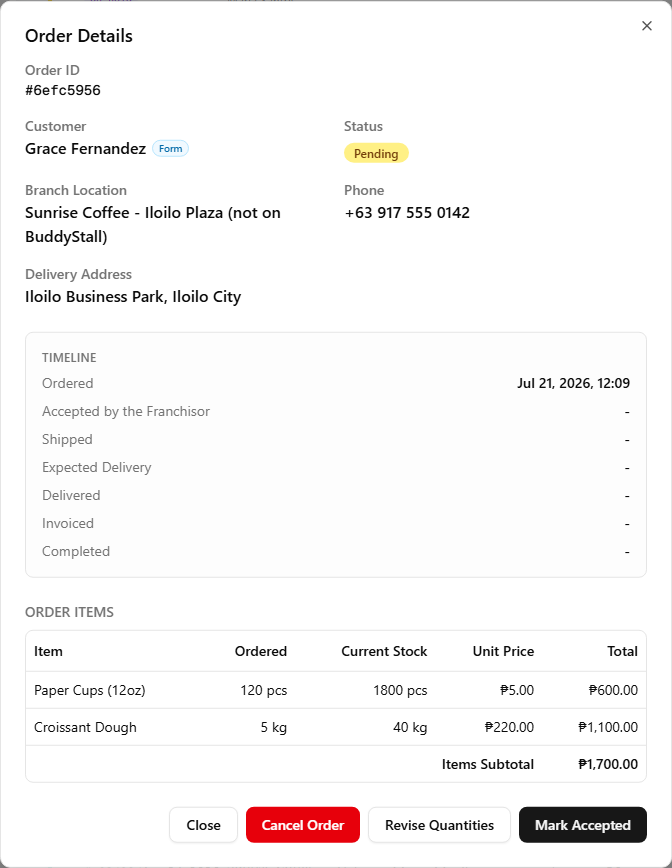
Everything else — shipping deducting stock, invoicing, the profit it earns — works exactly as it does for an in-app order. The full walkthrough is on Accept & fulfill orders.